
Table of Contents
- Introduction
- What Is Cache on a Firestick
- Why You Should Clear Cache for IPTV UK
- How to Clear Cache on Firestick, Step-by-Step
- How to Clear Cache on Specific IPTV Apps
- Troubleshooting After Clearing Cache
- Firestick Device Compatibility
- Comparison Table of Firestick Models
- Why Choose GET IPTV UK
- Frequently Asked Questions
- Conclusion
How to Clear Cache on Firestick for IPTV, The Complete 2026 Guide
If your IPTV UK streams are buffering, freezing, or simply not loading the way they should, the problem is often much simpler than you think. A cluttered cache on your Amazon Firestick can silently degrade your streaming experience, causing your favourite channels to stutter or your IPTV app to crash without warning. Clearing the cache is one of the fastest and most effective fixes available, and it takes less than two minutes from start to finish.
In this guide, we walk you through exactly how to clear cache on Firestick for IPTV in the UK, covering every step from your Firestick settings to individual app caches — with direct tips for UK IPTV users. Whether you are using IPTV Smarters Pro, TiviMate, or any other IPTV player, this tutorial applies directly to your setup. We also cover what cache actually is, why it builds up, and how regularly clearing it keeps your device running at peak performance.
Ready to experience buffer-free IPTV UK streaming? Start your free 24-hour trial today, no credit card required.
😃 24H Free IPTV Trial ►What Is Cache on a Firestick
Cache is temporary data that your Firestick stores on its internal memory whenever you use an app. Every time you open an IPTV app and stream content, the app saves fragments of that data locally so it can load faster the next time. In theory, this is designed to improve speed and performance. In practice, cache files accumulate over days and weeks until they start doing the opposite. This is why learning how to clear cache on Firestick for IPTV is such a valuable skill for every UK streamer.
For IPTV UK users in particular, a bloated cache can cause playlist loading failures, audio sync issues, pixelated video, and even complete app crashes. This is because IPTV apps are constantly fetching new stream data, and old cached data can conflict with fresh server information. According to Amazon Fire TV Support, clearing app data regularly is recommended as standard maintenance for all Fire TV devices.
Why You Should Clear Cache for IPTV UK
The relationship between cache buildup and poor streaming quality is direct and well-documented. When you are subscribed to a premium United Kingdom IPTV service and paying for 4K and HD quality streams, the last thing you want is corrupted cache files degrading what should be a flawless picture. Here are the most common signs that your Firestick cache needs clearing.
Constant Buffering
Streams pause every few seconds despite a fast broadband connection.
App Crashes
Your IPTV app closes unexpectedly or freezes on the channel list screen.
Slow Loading
Channels take much longer than usual to load or the playlist fails to refresh.
Poor Picture Quality
Video quality drops to SD even though you are on an HD or 4K subscription.
Clearing the cache does not delete your login credentials, IPTV UK subscription details, or personal settings. It simply removes temporary files that have built up over time. Many UK IPTV subscribers report an immediate improvement in stream quality and app responsiveness after this process. For internet speed checks, you can use Speedtest by Ookla to verify your connection is not the underlying issue.
How to Clear Cache on Firestick, Step-by-Step
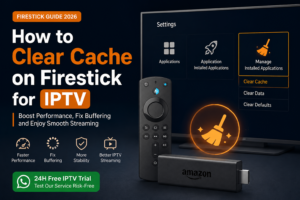
The process for how to clear cache on Firestick for IPTV is identical across all Amazon Firestick models and generations. Follow these steps and you will have a clean, optimised device ready to deliver premium IPTV UK streaming within two minutes.
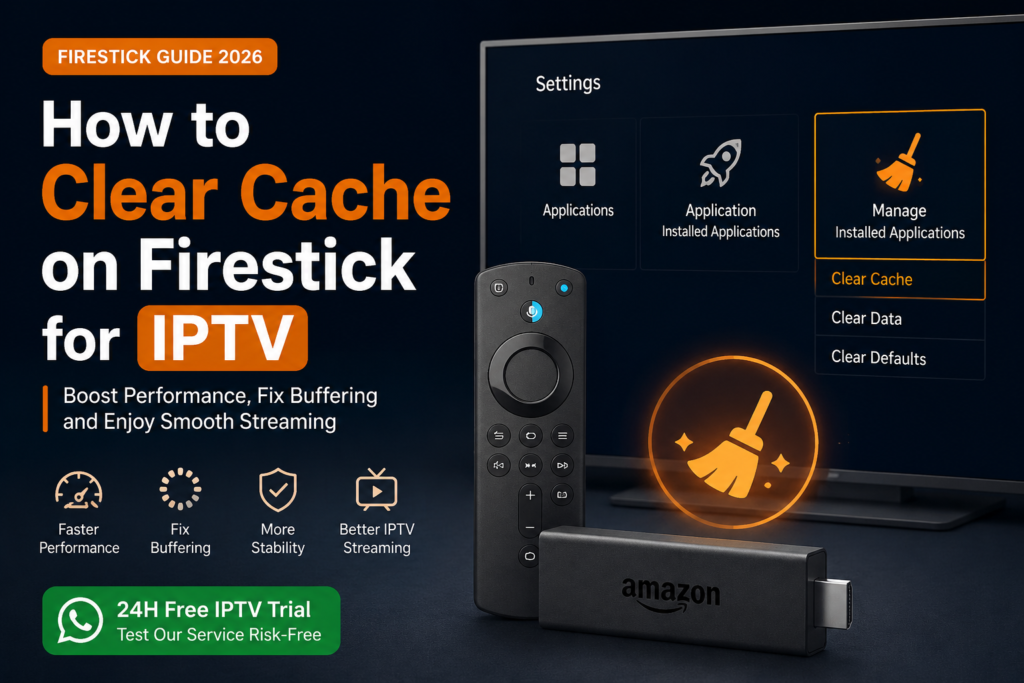
Open Firestick Settings
From your Firestick home screen, navigate to the top menu bar and select the gear icon labelled Settings.
Go to Applications
Scroll right through the Settings menu and select Applications. This is where all installed apps are managed.
Select Manage Installed Applications
Choose Manage Installed Applications. You will see a full list of every app currently installed on your Firestick.
Find Your IPTV App
Scroll through the list and select your IPTV application, such as IPTV Smarters Pro, TiviMate, GSE Smart IPTV, or OTT Navigator.
Tap Clear Cache
On the app info screen, select Clear Cache. This removes temporary files without affecting your account login or playlist settings.
Restart Your Firestick
Hold the Select and Play/Pause buttons simultaneously for five seconds to trigger a soft restart. This ensures the device loads fresh with the cleared state.
💡 Need a fast, stable IPTV UK service to enjoy after clearing your cache?
Get instant access to 30,500+ channels, 150,000+ VOD titles, and 4K Ultra HD streams.
😃 Start Your 24H Free IPTV Trial ►How to Clear Cache on Specific IPTV Apps
Different IPTV apps store different amounts of cache. Here is a quick guide for the most popular apps used with IPTV UK subscriptions from GET IPTV UK.
Clearing Cache in IPTV Smarters Pro
IPTV Smarters Pro is one of the most widely used apps for accessing your IPTV UK subscription. Follow the main steps above, then inside the app navigate to Settings then Clear Cache to remove EPG thumbnails and channel logos, which are often the biggest contributors to cache buildup.
Clearing Cache in TiviMate
TiviMate handles cache slightly differently. Clear through Android Settings, then open TiviMate, go to Settings, then Advanced, and select Clear EPG Data. EPG data accumulates significantly over time, especially with a comprehensive UK IPTV service with thousands of channels. After clearing, allow TiviMate one to two minutes to refresh.
Clearing Cache in GSE Smart IPTV
For GSE Smart IPTV users, clear the system cache through Settings then Applications. Inside GSE, tap the three-line menu, then Settings, then Clear Cache. GSE is fully compatible with all UK IPTV M3U playlists and Xtream Codes logins provided by GET IPTV UK.
Troubleshooting After Clearing Cache
In most cases, performing how to clear cache on Firestick for IPTV resolves buffering and performance issues immediately. If problems persist, here are additional troubleshooting steps for your United Kingdom IPTV streaming setup.
Check Internet Speed
HD streaming needs 10 Mbps minimum. 4K needs 25 Mbps. Test at Speedtest.net.
Restart Your Router
Unplug for 30 seconds and reconnect. Many issues are caused by stale router DNS caches.
Update Your IPTV App
Outdated versions may conflict with newer server protocols. Check the Amazon App Store for updates.
Use a VPN
Some UK ISPs throttle IPTV traffic. A VPN can bypass throttling. Learn more at Cloudflare.
If issues persist after all steps, contact our IPTV UK support team via WhatsApp for fast, personalised help. Visit our IPTV UK blog for additional device-specific troubleshooting guides, or consult Amazon Fire TV Support for official documentation.
Firestick Device Compatibility
The cache-clearing process described in this guide works across all generations of Amazon Fire TV devices. GET IPTV UK is fully compatible with every Firestick model currently available, as well as a wide range of other streaming devices.
Beyond Firestick, our IPTV UK service works on Smart TVs from Samsung, LG, and Sony, as well as Android TV devices and Apple TV (4th generation and later). For Apple TV details, visit the Apple TV official page. For Android TV, visit the Google TV official website.
Comparison Table of Firestick Models for IPTV UK Streaming
Choosing the right Firestick model ensures the best possible experience with your UK IPTV subscription. The table below compares all current models.
| Model | Resolution | RAM | Storage | Wi-Fi | Best For |
|---|---|---|---|---|---|
| Fire TV Stick Lite | Full HD 1080p | 1 GB | 8 GB | Wi-Fi 5 | Budget IPTV UK streaming |
| Fire TV Stick HD | Full HD 1080p | 1 GB | 8 GB | Wi-Fi 6 | Everyday UK IPTV viewing |
| Fire TV Stick 4K | 4K Ultra HD | 1.5 GB | 8 GB | Wi-Fi 6 | ✓ Premium IPTV UK 4K |
| Fire TV Stick 4K Max | 4K Ultra HD | 2 GB | 16 GB | Wi-Fi 6E | ✓ Best for power users |
| Fire TV Cube (3rd Gen) | 4K Ultra HD | 2 GB | 16 GB | Wi-Fi 6E | ✓ Ultimate hands-free |
Why Choose GET IPTV UK
GET IPTV UK is the most trusted IPTV UK provider for viewers across the United Kingdom. Whether you are new to IPTV or an experienced cord-cutter, our service delivers the most comprehensive, reliable, and premium streaming experience available.
30,500+ Live Channels
Every UK channel plus international sports, news, entertainment, and kids content in HD and 4K quality.
150,000+ VOD Titles
The latest cinema releases, box sets, documentaries, and exclusive series, all on demand.
99.9% Server Uptime
Our dedicated servers deliver near-perfect uptime so your channels are always available.
All Device Compatible
Works on Firestick, Smart TV, Android TV, Apple TV, and more.
Our UK IPTV pricing plans start from just a few pounds per month with flexible subscription durations. Every plan includes our full channel library, VOD catalogue, and 24/7 WhatsApp customer support. We also offer a completely free 24-hour IPTV UK trial, no credit card required.
🔦 Experience the UK’s most premium IPTV service. No credit card. No commitment. Just great TV.
😃 Get Your 24H Free IPTV Trial ►Frequently Asked Questions
Conclusion
Knowing how to clear cache on Firestick for IPTV is one of the simplest and most effective maintenance skills any IPTV UK subscriber can have. It takes under two minutes, requires no technical knowledge, and delivers an immediate improvement to streaming quality and overall device performance. Whether you use IPTV Smarters Pro, TiviMate, or GSE Smart IPTV, the process is the same across all apps and all Firestick models.
Make cache clearing a regular monthly routine alongside a quick internet speed check and app update review. Combined with a premium United Kingdom IPTV subscription from GET IPTV UK, a well-maintained Firestick gives you access to 30,500+ channels in stunning HD and 4K quality. View our full IPTV UK channel list, explore our subscription pricing, browse our device installation guides, or read related articles: IPTV Subscription UK 2026 and IPTV UK Playlist Guide.
🌟 Join thousands of UK viewers already enjoying premium IPTV UK streaming with GET IPTV UK.
30,500+ channels. 150,000+ VOD. 4K Ultra HD. 99.9% uptime. Cancel anytime.
😃 Start Your Free 24H IPTV Trial ►