
📋 Table of Contents
- Introduction, Should You Use a VPN with IPTV?
- What Is a VPN?
- How a VPN Works with IPTV UK
- Top Benefits of Using a VPN with IPTV UK
- Potential Downsides of Using a VPN with IPTV
- Best VPNs for UK IPTV Streaming
- VPN Comparison Table for IPTV UK
- VPN and IPTV Device Compatibility
- Why Choose GET IPTV UK
- Frequently Asked Questions
- Conclusion
Should You Use a VPN with IPTV? Here Is the Truth for UK Viewers
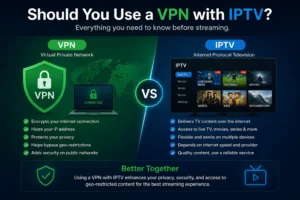
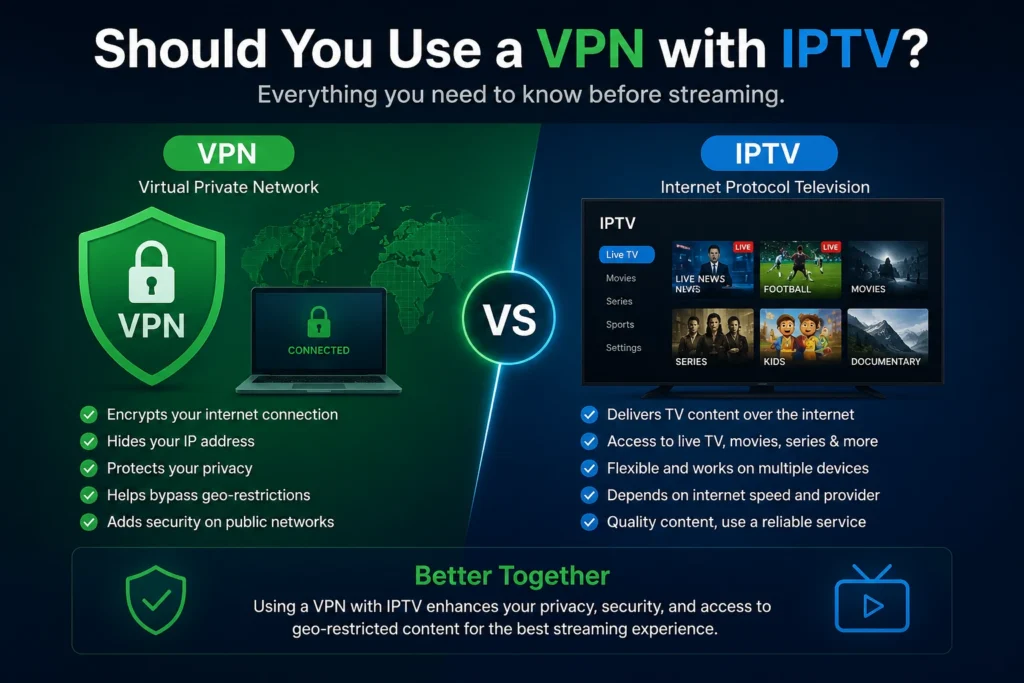
If you are using an IPTV UK service and wondering whether a VPN is worth it, you are not alone. It is one of the most frequently asked questions in the UK streaming community, and the answer is more nuanced than a simple yes or no. A Virtual Private Network, commonly known as a VPN, adds a layer of encryption and anonymity to your internet connection. But when it comes to UK IPTV streaming, does it actually help, or does it just slow things down?
In this guide, we cover everything you need to know about using a VPN alongside your IPTV subscription. From the real benefits and potential pitfalls to the best VPN choices for UK viewers, this article gives you a clear, honest picture so you can make the right decision for your setup.
🆕 Ready to experience the best IPTV UK service, risk-free? Start your 24-hour free trial today with no credit card required.
What Is a VPN?
A VPN, or Virtual Private Network, is a technology that creates a secure, encrypted tunnel between your device and the internet. When you activate a VPN, your internet traffic is routed through a server in a location of your choosing, masking your real IP address and making it appear as though you are browsing from a different country or region.
Originally developed for corporate use to allow remote workers to securely access company networks, VPNs have become mainstream tools for everyday internet users. Today, millions of people use them for online privacy, security on public Wi-Fi, and to access content that may be restricted in their region.
Understanding how VPNs work is essential before deciding whether to use one alongside your IPTV UK playlist. At its core, a VPN encrypts your outgoing data packets, routes them through a remote server, and then decrypts the response before it reaches your device. The result is that your Internet Service Provider (ISP), your router, or anyone monitoring your network cannot see what you are streaming or browsing.
How a VPN Works with IPTV UK
When you connect to your UK IPTV service without a VPN, your ISP can see that you are streaming content from specific server IP addresses. With a VPN active, that traffic appears encrypted and your ISP simply sees a connection to the VPN server rather than the IPTV server itself.
For IPTV UK users specifically, a VPN works by sitting between your device and the IPTV server. Your device connects to the VPN server, which then connects to the IPTV content server on your behalf. All data travelling between you and the VPN is encrypted using protocols such as WireGuard or OpenVPN, making it unreadable to third parties.
Step-by-Step, How IPTV and VPN Work Together
You Open Your IPTV App
Launch IPTV Smarters Pro, TiviMate, or your preferred app on your Firestick, Smart TV, or Android box with your VPN already running.
Traffic Is Encrypted and Rerouted
Your IPTV stream request is encrypted by the VPN client and sent to the VPN server rather than going directly to the IPTV server. Your ISP only sees encrypted traffic.
VPN Server Connects to IPTV Server
The VPN server forwards your stream request to the IPTV UK service server. The IPTV server sees the VPN server IP, not your personal IP address.
Stream Is Delivered Securely
The IPTV stream travels back through the VPN server to your device, encrypted throughout the journey. You watch your content with an added layer of privacy protection.
Top Benefits of Using a VPN with IPTV UK
There are several genuine advantages to pairing a VPN with your UK IPTV subscription. Here are the most significant ones that UK viewers should consider.
1. Privacy and Anonymity
One of the biggest reasons UK viewers use a VPN is to maintain their online privacy. Without a VPN, your ISP can log your streaming activity, including which services you use and at what times. A VPN prevents this metadata collection by encrypting all traffic at the source. This is a legitimate privacy concern for anyone who values their digital footprint, regardless of what they are streaming.
2. Bypass ISP Throttling
Several UK ISPs are known to throttle, or deliberately slow down, streaming traffic during peak hours. This is particularly common with high-bandwidth activities like 4K streaming. When your traffic is encrypted by a VPN, your ISP cannot identify it as streaming data, which means it cannot selectively slow it down. Many UK IPTV users report noticeably smoother streams after enabling a VPN for this exact reason. If you experience buffering during peak times, this could be the solution your setup needs.
3. Security on Public or Shared Networks
If you use your IPTV UK service on a shared Wi-Fi network at a hotel, holiday rental, or shared accommodation, a VPN provides an essential layer of protection. Without encryption, other users on the same network could potentially intercept unencrypted traffic. A VPN eliminates this risk entirely, making it safe to stream anywhere.
4. Access Geo-Restricted Bonus Content
While GET IPTV UK already provides access to a comprehensive range of international content through its IPTV UK playlist, a VPN can also allow you to connect to servers in other countries to access regionally exclusive streaming catalogues on other platforms you may use alongside your IPTV subscription.
📱 Experience premium IPTV UK streaming with 30,500+ channels and 150,000+ VOD titles. Try it free for 24 hours.
Potential Downsides of Using a VPN with IPTV
While the benefits are real, there are some important trade-offs to consider before enabling a VPN with your IPTV UK service.
1. Speed Reduction
Encryption and rerouting always introduce some level of latency and speed reduction. A quality VPN on a fast server will minimise this impact, but a budget VPN with overcrowded servers can significantly degrade your streaming experience. For 4K IPTV streaming, you need a stable connection of at least 25 Mbps, so any speed reduction from a VPN becomes important to manage carefully. Always use a VPN server located close to your actual physical location for the best performance.
2. Compatibility With Certain Apps
Some IPTV apps and platforms actively detect VPN traffic and may block connections from known VPN IP addresses. If you find that certain streams or channels stop working after enabling a VPN, this is often the cause. The solution is usually to switch VPN servers or use a VPN provider that regularly refreshes its IP pool.
3. Increased Cost
A reliable VPN is not free. Quality providers charge a monthly or annual subscription fee on top of your existing IPTV UK subscription. Free VPNs generally have poor performance, limited bandwidth, and questionable privacy practices, making them unsuitable for streaming. Budget accordingly if you decide to add a VPN to your setup.
Best VPNs for UK IPTV Streaming
Not all VPNs are created equal when it comes to IPTV UK streaming. You need a provider with high speeds, strong encryption, a large UK server network, and a proven no-logs policy. Below are some of the most reputable options worth considering.
Proton VPN
Swiss-based, open-source, strong privacy credentials, and a free tier available. Excellent for privacy-focused IPTV UK users.
Mullvad VPN
No-account system, accepts anonymous payment, and one of the most privacy-respecting VPNs available. Ideal for maximum anonymity.
NordVPN
Vast server network, NordLynx protocol for high speeds, and strong reputation. A popular choice for UK IPTV streaming performance.
ExpressVPN
Consistently fast speeds, wide device support including Firestick, and a trusted no-logs policy audited by independent firms.
VPN Comparison Table for IPTV UK
Use this comparison to quickly evaluate which VPN best suits your UK IPTV streaming needs.
| Feature | Proton VPN | Mullvad VPN | NordVPN | ExpressVPN |
|---|---|---|---|---|
| Speed for 4K IPTV | Good | Very Good | ✓ Excellent | ✓ Excellent |
| No-Logs Policy | ✓ Audited | ✓ Audited | ✓ Audited | ✓ Audited |
| UK Server Locations | Multiple | Multiple | ✓ 30+ Servers | ✓ 30+ Servers |
| Firestick App | ✓ Yes | ✗ No | ✓ Yes | ✓ Yes |
| Android TV App | ✓ Yes | ✗ No | ✓ Yes | ✓ Yes |
| Free Tier Available | ✓ Yes | ✗ No | ✗ No | ✗ No |
| Monthly Price | Free, EUR 3.99+ | EUR 5/mo | From £2.99/mo | From £4.99/mo |
| Best For | Privacy, Free Use | Maximum Anonymity | Speed & Servers | Ease of Use |
VPN and IPTV Device Compatibility
Using a VPN with your IPTV UK setup is straightforward on most devices. Below is a quick overview of how to use a VPN on the most popular platforms supported by GET IPTV UK.
| Device | VPN App Available? | IPTV App Compatible | Setup Difficulty |
|---|---|---|---|
| Amazon Firestick | ✓ Yes (NordVPN, ExpressVPN, ProtonVPN) | IPTV Smarters, TiviMate | Easy |
| Android TV Box | ✓ Yes (All Major VPNs) | TiviMate, IPTV Smarters | Easy |
| Samsung Smart TV | Via Router VPN | Smart IPTV, SS IPTV | Moderate |
| LG Smart TV | Via Router VPN | Smart IPTV, SS IPTV | Moderate |
| iPhone / iPad | ✓ Yes (All Major VPNs) | GSE Smart IPTV, IPTV Smarters | Easy |
| Windows PC / Laptop | ✓ Yes (All Major VPNs) | VLC, IPTV Smarters PC | Easy |
Why Choose GET IPTV UK for Your IPTV Subscription
Regardless of whether you choose to use a VPN, the foundation of a great streaming experience is a reliable IPTV UK service. GET IPTV UK is trusted by over 50,000 subscribers across the United Kingdom and consistently rated as the best UK IPTV provider for 2026.
30,500+ Live Channels
The most comprehensive IPTV UK channel lineup available, covering UK, sports, international, movies, and kids.
99.9% Server Uptime
Dedicated UK server infrastructure guarantees near-zero downtime, unlike other services that frequently drop.
4K Ultra HD Quality
Crystal-clear 4K streams for sports events, movies, and premium channels, the best UK IPTV quality available.
24/7 WhatsApp Support
Instant, real support from our team via WhatsApp, making us the most responsive IPTV provider in the UK.
Trusted by Over 50,000 UK Subscribers
GET IPTV UK, The #1 Rated IPTV Provider in the United Kingdom
30,500+ Channels | 150K+ VOD | 99.9% Uptime | 24/7 Support | 4K Quality
🆕 Start your free 24-hour IPTV trial today. No credit card. No contracts. Just premium IPTV UK streaming.
Frequently Asked Questions
No, a VPN is not required to use a IPTV UK service. GET IPTV UK works perfectly without a VPN on any device, including Firestick, Smart TV, and Android boxes. However, a VPN can enhance your experience by providing additional privacy, bypassing potential ISP throttling, and securing your connection on public networks.
A VPN can slightly reduce your connection speed due to the encryption overhead and rerouting process. With a premium VPN and a nearby server, the speed reduction is typically minimal, often less than 10 to 20%, which most UK IPTV streams will not notice. However, a low-quality or free VPN can cause significant buffering, so choosing a reputable provider is essential.
The best VPNs for IPTV UK streaming are those with high speeds, UK server options, and audited no-logs policies. NordVPN and ExpressVPN are generally the fastest options for streaming, while Proton VPN offers an excellent free tier and Mullvad provides maximum anonymity. Choose based on your priorities between speed, price, and privacy.
Yes, you can install VPN apps directly from the Amazon App Store on your Firestick. NordVPN, ExpressVPN, and Proton VPN all have native Firestick apps. Simply install the VPN app, connect to a UK server, and then open your IPTV app on Firestick to stream with VPN protection active.
Most Smart TVs do not natively support VPN apps. The most effective workaround is to install the VPN on your home router, which automatically protects all devices on your network, including your Smart TV running an IPTV UK service. Alternatively, you can use a VPN-enabled Android TV box as your IPTV player instead of the TV directly.
A VPN encrypts your internet traffic and masks your IP address, meaning your ISP cannot see what you are streaming. It also protects you from potential monitoring on shared or public Wi-Fi networks. However, it is important to understand that a VPN is a privacy tool, not a legal shield. Using a reputable UK IPTV provider like GET IPTV UK is always the most responsible approach.
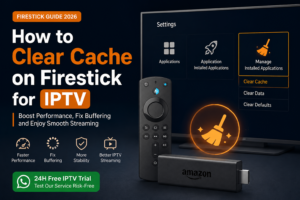
If your buffering is caused by ISP throttling, then yes, a VPN can help significantly by hiding your streaming traffic from your ISP. However, if the buffering is caused by slow broadband speeds or server-side issues, a VPN will not resolve it and could make it slightly worse. GET IPTV UK uses a 99.9% uptime infrastructure, so buffering is rarely a server issue on our end. Check out our guide on how to clear cache on Firestick for IPTV if you experience any playback issues.
We strongly advise against using free VPNs with your IPTV UK service. Free VPNs typically have very limited bandwidth, overcrowded servers that cause buffering, and questionable data practices, with some known to log and sell user data. The only free VPN we would recommend considering is Proton VPN, which has a genuinely free tier with a verified no-logs policy. For the best streaming performance, a paid VPN is always the better choice.
Absolutely. GET IPTV UK offers a genuine 24-hour IPTV UK free trial with no credit card required, and no VPN is needed to claim or use it. Simply message us on WhatsApp and we will activate your trial immediately, giving you full access to 30,500+ channels, 150,000+ VOD titles, and 4K streams, completely free.
Conclusion, Should You Use a VPN with IPTV UK?
After reviewing all the evidence, the answer to whether you should use a VPN with your IPTV UK service is: it depends on your priorities. If privacy, security on shared networks, or bypassing ISP throttling are important to you, then a quality VPN from a provider like NordVPN, ExpressVPN, or Proton VPN is a worthwhile addition to your setup. If raw streaming performance is your top priority and you are happy with your current connection speeds, a VPN may simply add unnecessary complexity.
What matters most, however, is the quality of your UK IPTV service itself. With GET IPTV UK, you get a rock-solid, 99.9% uptime platform with 30,500+ channels, 4K Ultra HD streams, and 24/7 WhatsApp support, the best foundation for any IPTV setup, with or without a VPN. Check out our full IPTV UK playlist guide or learn more about IPTV in the UK to make the most informed decision for your streaming setup.
Join 50,000+ Happy UK Subscribers, Start Your Free IPTV Trial Today